

Most local business websites struggle to turn visitors into customers. You might have a beautiful site, but if it doesn’t build local business website trust or make it simple to use, potential clients leave without a call or booking. This post breaks down the key trust signals for websites and usability tips that bring more leads, faster responses, and higher conversions—so you know exactly what your site needs to work smarter. https://neilpatel.com/blog/41-factors-influence-websites-credibility/
Building Trust with Your Website
To build a trustworthy online presence, your site needs to showcase specific elements that instill confidence in your visitors. Let’s uncover these trust signals and how they can transform your site into a reliable customer-communication hub.
Trust Signals for Websites
Trust signals are crucial for turning visitors into customers. You need to show that your business is reliable and authentic. Start by displaying your contact information prominently. Include a phone number, email, and physical address if applicable. This makes it easy for users to reach you.
Another important element is a professional design. A clean layout with easy navigation encourages users to stay on your site longer. Add clear and concise content to guide visitors to the information they need. Always include a privacy policy to assure users that their data is safe. For more insights, check the website credibility checklist factors.
SSL and Site Security
SSL certificates are vital. They encrypt data between your visitors and your site, ensuring privacy and security. Without SSL, modern browsers may flag your site as “Not Secure.” This can deter potential customers. Ensure your website uses HTTPS instead of HTTP to boost trust and search rankings.
Additionally, secure site features include regular software updates and secure hosting. These steps protect your site from vulnerabilities and boost user confidence. A secure website is not just a technical requirement, but also a trust factor that reassures visitors their data is safe.
Online Reviews and Testimonials
Customer reviews and testimonials can greatly increase trust. Positive feedback showcases your service quality and reliability. Encourage satisfied customers to leave reviews on platforms like Google or Yelp. Display these testimonials prominently on your site.
Video testimonials can also add authenticity. They provide a personal touch, making your business relatable. Remember, authentic reviews not only improve trust but also enhance your local SEO, helping you reach more potential customers searching for reliable services.
Enhancing Usability for Better Engagement
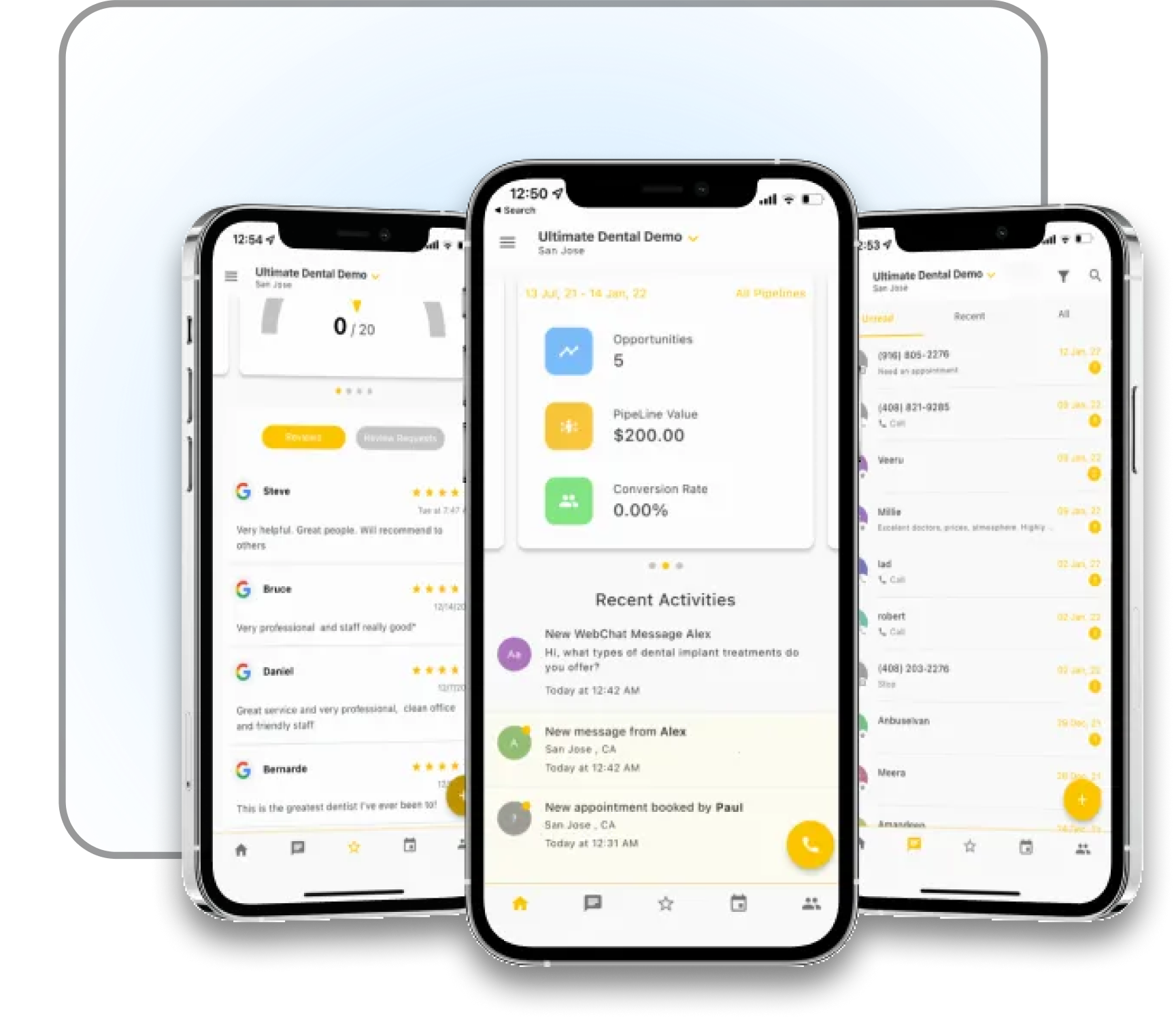
Once trust is established, usability enhancements keep visitors engaged. A user-friendly site ensures visitors can easily find what they need, leading to more conversions and customer satisfaction.
Website Usability Checklist
A well-designed website should be easy to navigate. Start by ensuring your menu is simple and intuitive. Limit the number of menu items and use clear labels. Make sure important pages are no more than three clicks away from your homepage.
Fast loading times are critical. Users are likely to abandon a site that takes too long to load. Test your site speed and optimize images and scripts to improve performance. Use tools like Google PageSpeed Insights for guidance.
Lastly, use consistent fonts and colors. This not only improves readability but also strengthens your brand identity. For more on creating a reliable site, see the quiet reliability checklist for business websites.
Mobile-Friendly Website Design
With more users browsing on mobile devices, a mobile-friendly design is crucial. Ensure your site adapts to various screen sizes seamlessly. A responsive design improves user experience and search engine rankings.
Test your site on different devices to check for issues. Look for problems like overlapping text or buttons that are too small to click. A site that functions well on mobile devices can significantly boost engagement and conversions.
ADA Website Accessibility
Making your site accessible to all users, including those with disabilities, is vital. Follow ADA guidelines to ensure your site is inclusive. This includes using alt text for images, providing keyboard navigation, and ensuring text is readable.
An accessible site not only broadens your audience but also demonstrates social responsibility. Compliance with ADA standards can protect your business from potential legal issues while enhancing user experience for everyone.
Boosting Conversions with Effective Strategies
Now that your site is trustworthy and user-friendly, focus on conversion strategies. These elements encourage visitors to take desired actions, such as making a purchase or booking a service.
Clear Calls to Action
Calls to action (CTAs) guide users toward your goals. Use clear and compelling language like “Get Started” or “Contact Us Today.” Place CTAs strategically, such as at the end of a page or after a key selling point.
Ensure your CTAs stand out visually. Use contrasting colors and large buttons to capture attention. The goal is to make it easy for users to take the next step, increasing your conversion rates.
Online Booking System and Automation
An online booking system simplifies scheduling for both you and your customers. It allows users to book appointments directly on your site, reducing the friction of back-and-forth communication.
Automate follow-ups with confirmation emails and reminders. This keeps your customers informed and reduces no-shows. An efficient booking system can enhance your customer service and lead to more bookings.
Live Chat and Chatbots Integration
Integrating live chat or chatbots offers instant support to visitors. It can answer common questions and guide users through your site. This immediate assistance can prevent potential customers from leaving your site without engaging.
Chatbots are available 24/7, providing support even when you’re not. They can collect leads and provide personalized recommendations, leading to higher conversions and customer satisfaction.
Frequently Asked Questions
What are the most effective trust signals for websites?
The most effective trust signals include displaying contact information, using a professional design, and showcasing online reviews. These elements assure visitors of your business’s reliability and authenticity.
How can I improve my website’s usability?
Improve usability by simplifying navigation, ensuring fast loading times, and maintaining consistent design elements. A user-friendly site keeps visitors engaged and helps convert them into customers.
Why is mobile-friendly design important for my website?
A mobile-friendly design is crucial as more users access websites through mobile devices. It ensures your site functions well on all screen sizes, enhancing user experience and search engine rankings.
How do I make my website ADA accessible?
Ensure ADA accessibility by using alt text for images, providing keyboard navigation, and ensuring readable text. This inclusivity broadens your audience and demonstrates social responsibility.
What role do CTAs play in boosting conversions?
CTAs guide users towards desired actions, such as making a purchase or booking a service. Clear and compelling CTAs placed strategically on your site can significantly increase conversion rates.